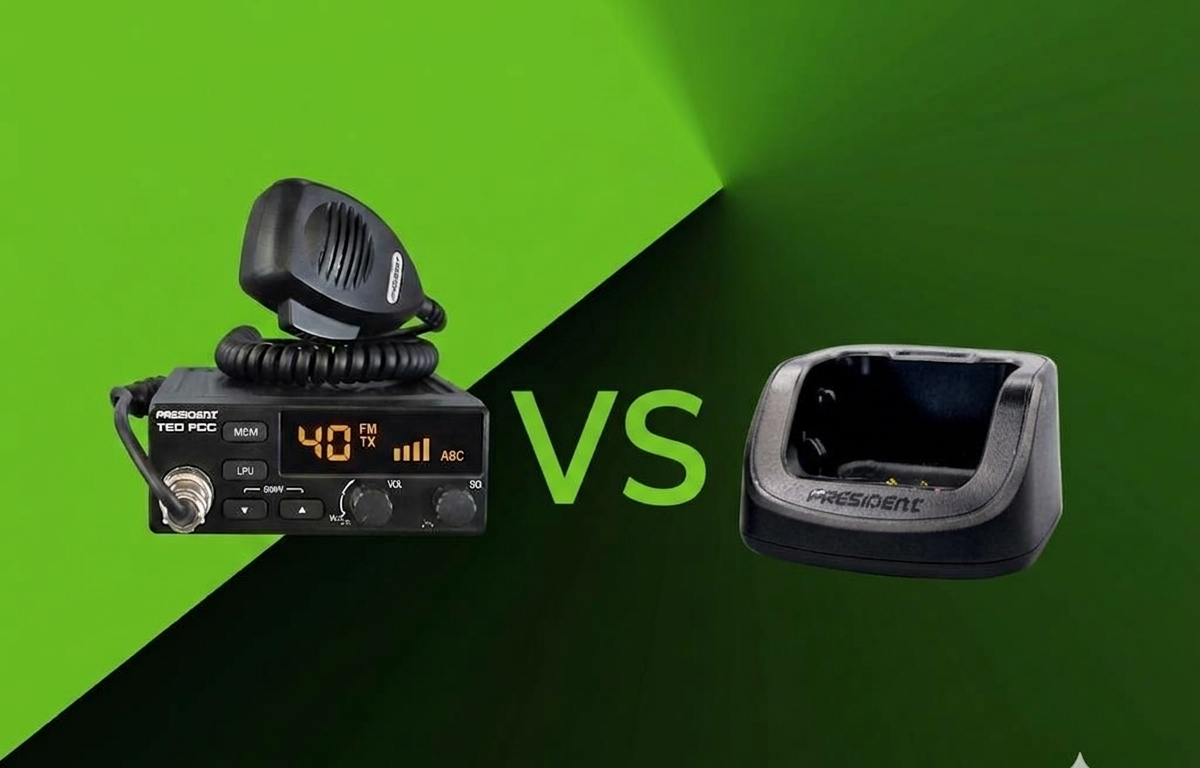
Your CB radio suddenly stops picking up conversations. Other drivers can barely hear you, reception is full of static, or your range seems to have dropped overnight. Before you assume your CB radio is defective or start shopping for a replacement, take a closer look at your setup.
Many common CB radio problems have little to do with the radio itself. A poorly tuned antenna, a weak power connection, incorrect settings, or interference from nearby electronics can all affect performance, even when the radio is working perfectly.
Whether you use a CB radio for trucking, off-roading, RV travel, farming, or everyday road communication, knowing how to troubleshoot these issues can save you time, money, and unnecessary frustration.
Here are five CB radio problems that look like a bad radio but often have a much simpler explanation.
1. Your CB Radio Has Poor Range
The symptom: You can hear nearby drivers, but conversations fade quickly with distance. Other CB users seem to reach much farther than you do, even on the same channel.
It is easy to blame the radio’s transmitter or receiver. However, one of the first things to check is your antenna system.
What could actually be wrong?
Your CB antenna plays a major role in how well your radio transmits and receives signals. Even a good radio can perform poorly if the antenna is unsuitable for the installation, incorrectly positioned, damaged, or improperly tuned.
Common causes of poor CB radio range include:
- Incorrect antenna tuning: An antenna with an unsuitable Standing Wave Ratio (SWR) can reduce effective performance and, in some circumstances, put excessive stress on the transmitter.
- Poor grounding: An inadequate ground connection can affect antenna performance, particularly with mobile installations.
- A damaged coaxial cable: A loose connector, corroded connection, or damaged cable can weaken the signal.
- Poor antenna placement: Mounting an antenna too close to metal structures or other obstructions can affect its radiation pattern.
- Antenna damage: A bent whip, loose mount, or deteriorated connection may go unnoticed during everyday use.
How to troubleshoot it
Start by inspecting the antenna, coaxial cable, connectors, and mounting hardware. Check the SWR using an appropriate meter and follow the antenna manufacturer’s instructions for measuring and correcting it. If the readings are unusually high, investigate the antenna system before continuing to transmit.
Remember that CB range also depends on terrain, antenna height, surrounding obstacles, atmospheric conditions, and the other station’s setup. A shorter communication range does not automatically indicate a defective radio.
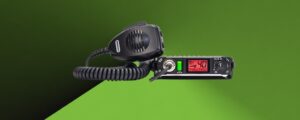
For example, the President BILL III FCC AM/FM is an ultra-compact, feature-packed mobile CB radio designed for installations where space is limited. Although its small design might lead some users to assume it has a limited range, its actual reach depends far more on selecting and properly tuning the right antenna than on the radio’s size, just as it does with any other CB radio on the market.
For more information on antenna tuning, check out the How To Tune Your CB Radio Antenna article.
2. Your CB Radio Receives Signals but Nobody Can Hear You
The symptom: You hear conversations clearly, but when you press the microphone’s push-to-talk button, nobody responds. You might assume the transmitter has failed.
Before reaching that conclusion, remember that transmitting and receiving rely on different parts of the communication system. A radio can receive signals normally while a problem elsewhere prevents your transmission from reaching other users.
What could actually be wrong?
Several issues can create this frustrating one-way communication problem.
- A faulty microphone or connection: A loose microphone plug, damaged cable, or defective microphone can prevent your voice from being transmitted properly.
- A poor power connection: A weak electrical connection or voltage drop under load may affect transmission even if the radio powers on normally.
- An antenna or coaxial cable problem: A damaged antenna system can severely compromise transmission performance.
- The wrong channel or modulation/mode mismatch: You may be transmitting on a channel different from the one other users are monitoring or using an incompatible modulation mode. Both radios need to be set to the same mode (AM, FM) or, on CB radios that support it, the same SSB setting (USB or LSB) to communicate properly. If the modes don’t match, the other station may hear distorted or unintelligible audio or may not understand your transmission at all.
- Incorrect microphone settings: Depending on the radio, microphone gain or other settings may affect how clearly your voice is transmitted.
How to troubleshoot it
First, verify that you and the other station are using the same channel and compatible modulation mode. Check that the microphone plug is firmly connected and inspect the cable for damage.
Next, verify the power supply and antenna connections. If possible, ask another CB user to confirm whether your signal is reaching them. A suitable external SWR meter or other appropriate test equipment can help identify antenna-system problems.
Safety Tip: Never transmit for prolonged periods without a properly connected antenna attached, as this can damage the output transistors.
If the problem persists, consult the radio’s user manual or a qualified CB radio technician before assuming the transmitter is defective.
President Electronics offers several AM/FM/SSB mobile radios. Whichever model you use, checking the microphone, power supply, antenna, and channel settings is a sensible first step before considering a replacement.
3. Your CB Radio Is Full of Static, Hissing, or Electrical Noise
The symptom: You hear constant static, buzzing, whining, or crackling through the speaker. The noise may become louder when you accelerate, switch on your headlights, or operate other equipment in the vehicle.
Static is one of the most common complaints among CB radio users. Although internal radio faults can cause unwanted noise, interference from the vehicle or surrounding environment is often a more likely starting point.
What could actually be wrong?
Your CB radio operates in an environment filled with electrical equipment, metal structures, and potential sources of radio-frequency interference.
Common culprits include:
- Vehicle electronics: Alternators, ignition systems, and poorly suppressed electrical components can generate interference.
- LED lighting: Some LED headlights, light bars, and aftermarket lighting systems produce electrical noise that reaches the radio through the power supply or antenna.
- USB chargers and inverters: Low-quality or poorly filtered accessories can introduce unwanted interference.
- Electrical grounding problems: Poor connections can allow noise to enter the radio’s power circuit.
- Normal radio-frequency background noise: CB is a shared radio service. Atmospheric conditions, distant transmissions, and other nearby stations can all contribute to what you hear.
How to troubleshoot it
Try to determine whether the noise comes from the radio itself, the vehicle’s electrical system, or the surrounding radio environment.
Start with these checks:
- Turn off nonessential accessories, such as aftermarket lighting, USB chargers, and inverters, one at a time. Listen for changes in the noise as you switch each accessory off.
- Rev the Engine: If the pitch of the whine changes with engine RPM, the alternator or ignition circuit may need filtering/grounding attention.
- Inspect the radio’s power connections and grounding.
- Check the antenna cable and connectors.
- When possible, adjust the squelch and RF gain controls to find a useful balance between background noise and weak incoming signals.
Be careful not to mistake reduced noise for improved reception. Excessive squelch or overly aggressive RF gain reduction can make the speaker quieter while also hiding weaker stations.
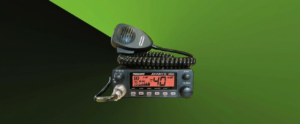
The President Electronics CB radios offer a variety of features designed to help manage unwanted noise. For example, the President WALKER IV FCC AM/FM includes a Noise Reduction Circuit (NRC), dedicated noise filters (ANL, NB, HI-CUT) alongside the Automatic Squelch Control (ASC). These tools can help improve listening comfort in appropriate conditions, although they cannot eliminate every source of interference.
The important distinction is that noise-reduction features can help manage interference, but they cannot repair faulty ground, damaged cable, or noisy accessory. This is where a little troubleshooting on your part becomes essential. You’ll need to identify and address the source of the interference, as no noise-reduction feature can compensate for an underlying electrical or installation problem.
4. Your CB Radio Keeps Cutting Out or Randomly Restarts
The symptom: Your CB radio works normally for a while, then suddenly switches off, restarts, or loses audio. Sometimes it happens when you hit a bump, turn on another electrical accessory, or increase engine speed.
Intermittent faults can be particularly misleading because the radio may appear perfectly healthy when you test it while parked.
What could actually be wrong?
In many cases, the problem is related to the power supply or installation rather than the radio’s internal electronics.
Look for these potential causes:
- Loose power connections: Vibration can interrupt a connection that appears secure when the vehicle is stationary.
- Damaged wiring: Pinched, frayed, or poorly repaired wires can cause intermittent power loss.
- An unsuitable power source: A circuit that cannot reliably supply the required current may cause the radio to behave unpredictably.
- Voltage drops: Poor connections, undersized wiring, or electrical system problems can cause voltage to fall when the radio transmits or other equipment draws power.
- Poor grounding: An unreliable ground connection can produce intermittent operation and electrical noise.
- Overheating: Inadequate ventilation or excessive heat can contribute to performance problems.
How to troubleshoot it
With the radio switched off, inspect its power wiring, fuse holder, connectors, and ground connection. Look for signs of corrosion, looseness, heat damage, or previous repairs.
If the radio restarts specifically when you transmit, check the supply voltage under load using appropriate test equipment. A radio that receives normally but resets during transmission may be experiencing a power-supply problem rather than a failed transmitter.
If the problem occurs mainly on rough roads, pay particular attention to the microphone connection, power connector, antenna cable, and mounting hardware.
Installation requirements also matter. For heavy commercial or industrial applications, both the President THOMAS and the President JOHNNY III USA offer 12V/24V power compatibility, making them an option to consider for compatible vehicle electrical systems where that flexibility is needed. Always verify the exact model’s specifications and your vehicle’s requirements before installation.
If the radio continues to restart after the wiring and supply voltage have been checked, a qualified technician can test it for an internal fault.
5. Your CB Radio Seems to Have a Mind of Its Own
The symptom: You cannot hear certain stations, the radio seems unusually quiet, or you believe it has stopped scanning channels properly. The controls appear to work, but the radio does not behave as expected.
Before assuming something has failed electronically, take a few minutes to review the settings.
Modern CB radios can offer a range of useful features, but those features can also make troubleshooting less straightforward if you are unfamiliar with how they interact.
What could actually be wrong?
Several settings can affect what you hear and how your radio behaves.
- Squelch set too high: The radio may suppress weaker signals, making it seem as though reception has deteriorated.
- RF gain turned down: Depending on the model, a reduced RF gain setting can limit the reception of weaker stations.
- Incorrect AM/FM/SSB selection: You may be listening in a different modulation mode from the station you want to hear. Being in SSB or FM mode when trying to listen to AM traffic on Channel 19 makes channels sound dead or garbled.
- Scan Skip or channel scan settings: Some channels may be skipped during scanning, or scanning may not be configured as you expect.
- Channel selection or memory settings: You may be monitoring a different channel from the one you intended to use.
- Noise-reduction settings: Depending on the radio and selected noise filter settings, audio processing may change how incoming signals sound.
How to troubleshoot it
Start with the basics. Confirm the selected channel, modulation mode, squelch level, and RF gain setting, where available. Try monitoring a known active channel rather than relying exclusively on channel scanning.
If your radio has a Scan Skip function, check whether the channel you want to monitor has been excluded from the scan sequence. Consult your user manual for the exact procedure, since controls and menus vary by model.
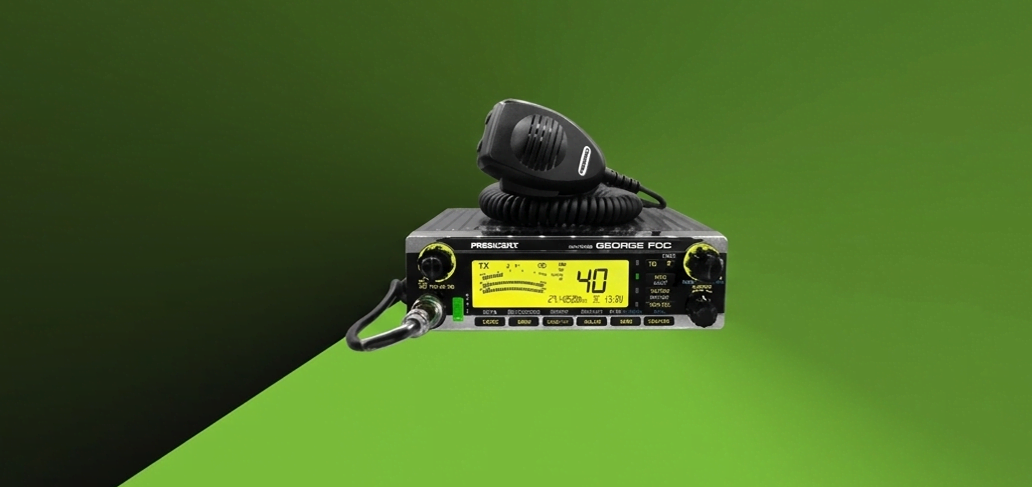
For example, the feature-rich President George FCC AM/FM offers channel scanning and Scan Skip, along with five preconfigured P-Channels. Understanding how these features work can help you distinguish a configuration issue from a genuine hardware problem.
If you have changed several settings and cannot remember their original values, consult the manual before performing a reset. A reset may erase customized settings, depending on the model.
If the radio still behaves abnormally after you verify the settings, check the antenna and power connections before moving on to professional diagnostics.
When Is It Actually Time to Replace Your CB Radio?
Checking the basics does not mean your radio can never fail. Internal component damage, a defective transmitter or receiver, a damaged microphone circuit, or other hardware faults can all require professional repair or replacement.
The goal is to rule out the simpler explanations first.
Before purchasing another CB radio, work through this quick checklist:
- Inspect the antenna, coaxial cable, and connectors.
- Check the SWR using the correct procedure and suitable equipment.
- Verify the radio’s power supply, wiring, fuse, and ground connection.
- Confirm that the microphone is connected properly and undamaged. Or simply test with another mic.
- Check the channel, modulation mode, squelch, RF gain, and scan settings.
- Turn off nonessential vehicle accessories to investigate electrical interference.
- Consult the radio’s manual or seek professional testing if the problem persists.
If these checks do not resolve the issue, a technician can test the radio independently of the vehicle installation to help determine whether the fault lies inside the unit.
When replacement is necessary, choose a model that suits your installation space, electrical system, and communication needs. President Electronics offers a range of CB radios with different form factors and features, from compact models such as the BILL III FCC to feature-rich mobile options such as the GEORGE FCC.
You can compare the available models on the official President Electronics CB Radios page.
Final Thoughts: Troubleshoot Before You Replace
When your CB radio starts acting up, it is tempting to assume the equipment has reached the end of its life. But poor range, one-way communication, excessive static, intermittent power, and unexpected settings behavior can all have causes outside the radio itself.
A methodical check of the antenna system, power supply, microphone, electrical interference, and radio settings can often help you identify the real problem before spending money on new equipment.
And if you ultimately discover that your radio really is faulty, you will have a much clearer idea of what went wrong and what to look for in a replacement.
Upgrade with Confidence: The President 2+3 Warranty
When choosing a replacement, reliability and warranty coverage matter. President Electronics offers both with its 2+3 Warranty Program. Purchase any eligible President CB radio and a qualifying President antenna on the same invoice, and your standard 2-year factory warranty is automatically extended to 5 full years, subject to the warranty’s terms and conditions. If an issue arises with your radio, that extra coverage offers valuable peace of mind, knowing you’re protected for up to five years.
❗ Disclaimer:
The information provided in this guide is for general informational and educational purposes only and does not constitute legal advice. It is not intended to serve as a comprehensive or definitive guide to radio communications regulations, practices, or equipment. This guide does not encompass all available radios, antennas or communication methods currently on the market. Users are advised to consult the most recent FCC regulations and applicable local laws prior to operating any radio equipment, particularly devices that require a license. Product specifications, availability, and regulatory requirements are subject to change without notice. Users are solely responsible for ensuring compliance with all applicable laws, regulations, and operational guidelines. While efforts have been made to ensure the accuracy of the information provided, the publisher makes no representations or warranties regarding the completeness, accuracy, or reliability of the content and shall not be held liable for any errors, omissions, or inaccuracies contained herein.